 Falling
 App
USBCopy
USB drive duplicator: copy a folder to every connected USB drive at once, with no limit on the number of drives and file verification. For businesses, photographers, schools and events.
USBCopy copies a folder to every USB drive connected to your PC, all at the same time and with no limit on the number of drives: you can connect as many as your PC can handle. It is designed for anyone who needs to prepare many identical USB drives: businesses handing out promotional material, photographers and videographers delivering their work to clients, schools and events.
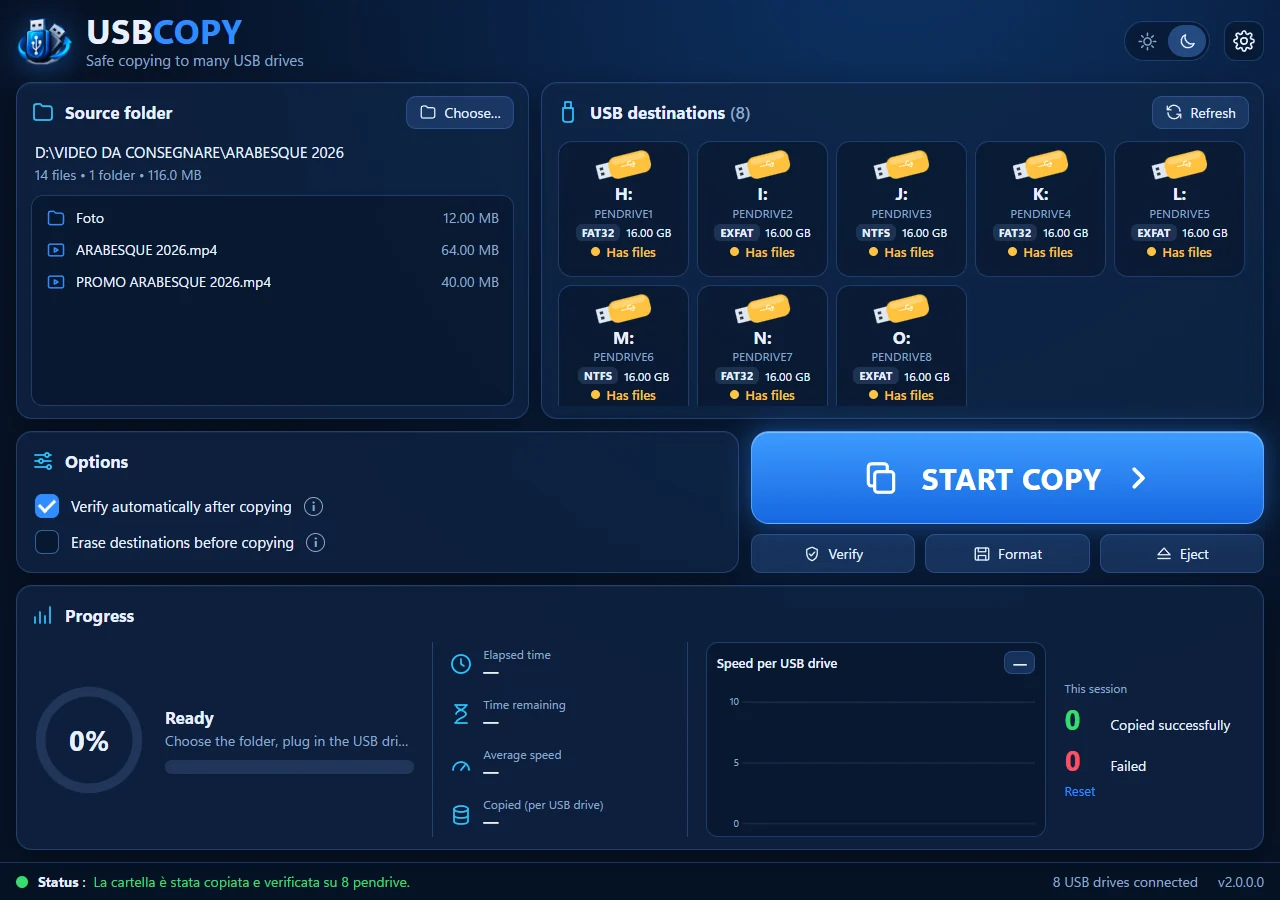
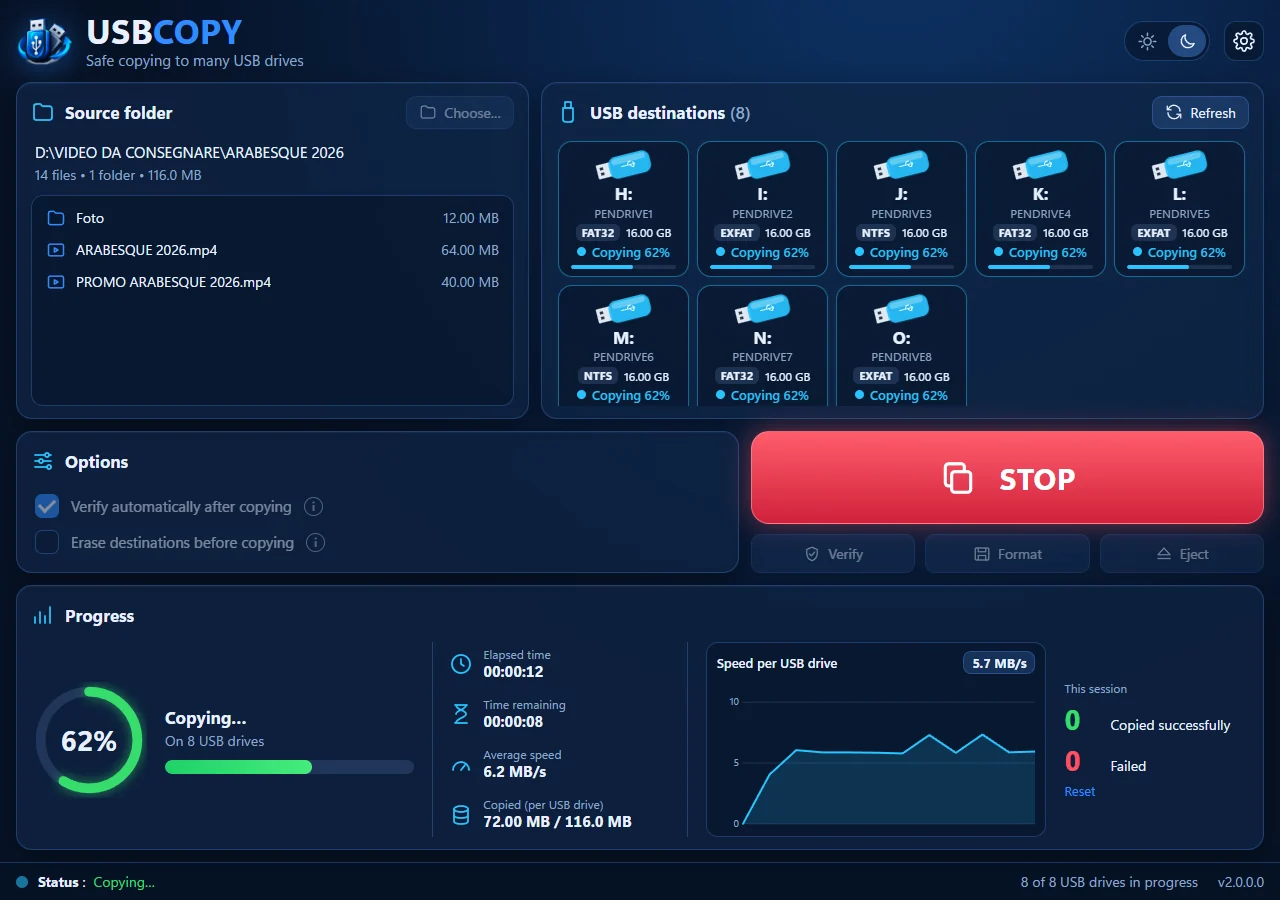
Plug in the drives, choose the folder and press START COPY. USBCopy shows the status and the format of every drive, checks that there is enough space and, if you want, verifies that every file is identical to the original. During the copy you can see the elapsed and remaining time, the speed and a chart; at the end a sound tells you the job is done.
USB drives are recognized even when Windows does not give them a drive letter, so there is no 26-letter limit. Internal disks, SSDs and external hard drives are never used as destinations, and the drive holding the folder to copy, such as your camera's SD card, is always protected.
With one click you can also format all the USB drives together and eject them safely.
Screenshots

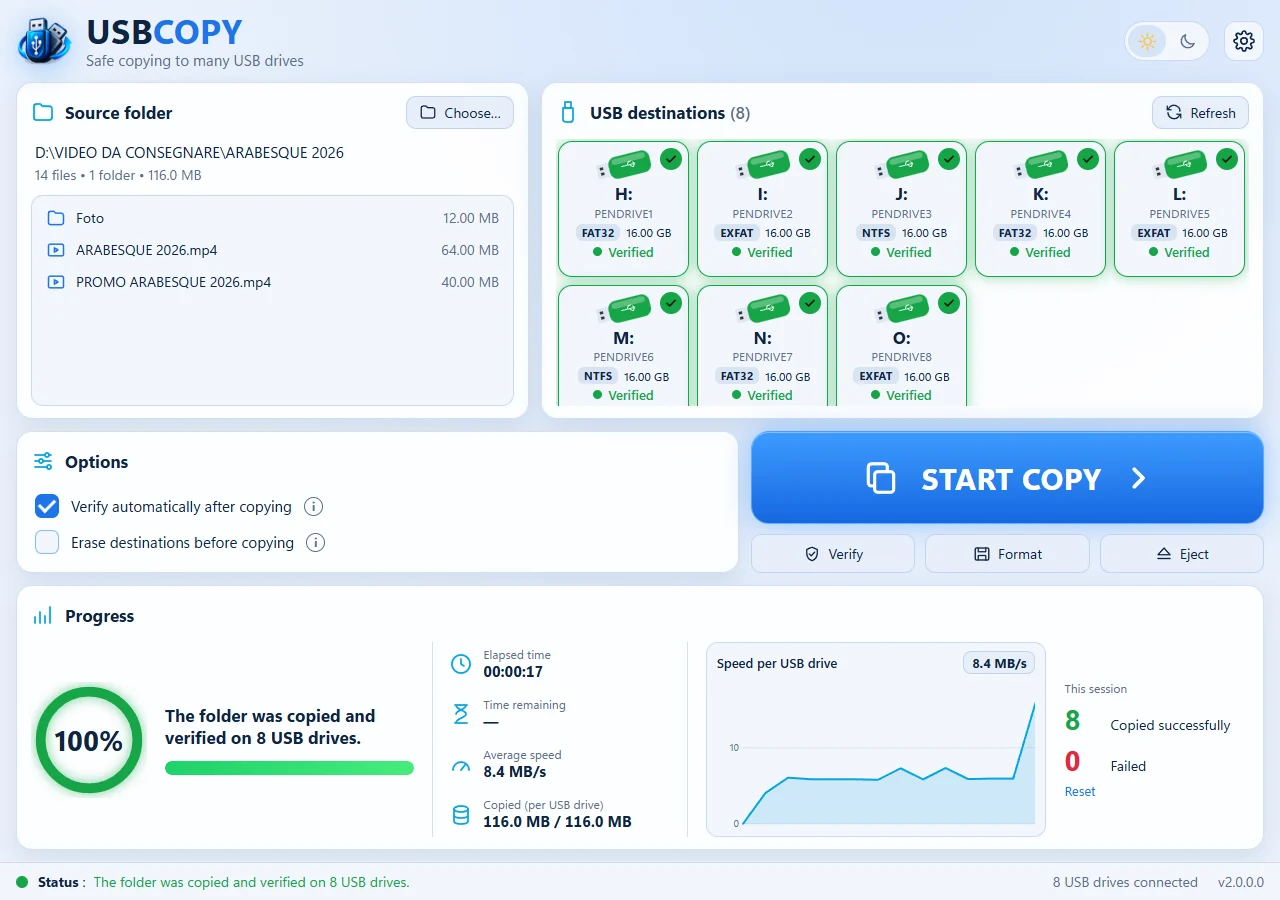
Features
- Copy a folder to all connected USB drives at the same time, with no limit on the number of drives
- USB drives recognized even without a drive letter; SD cards allowed
- Internal disks, SSDs and external hard drives always excluded; the drive holding the source folder is always protected
- Verification of copied files, manual or automatic after the copy
- Optional erase of the USB drives before copying
- Color-coded status and format for each drive: empty, with other files, too full, copied, verified, with errors
- Drives are excluded automatically when there is not enough space, or when they are FAT32 and a file is larger than 4 GB
- Real-time statistics: elapsed and remaining time, speed and chart
- Counters of successful and failed copies
- Format all USB drives together as exFAT, FAT32 or NTFS
- Eject all USB drives safely with one click
- Stop the copy at any time, without leaving incomplete files
- Sound at the end of each operation, and no AutoPlay windows while you plug in the drives
- Light and dark themes
- Available in English and Italian
What's new in version 2.0
- New interface, with light and dark themes
- No limit on the number of USB drives: they are recognized even without a drive letter
- Safer: internal disks, SSDs and external hard drives are always excluded; SD cards are allowed
- No AutoPlay windows when you plug in the USB drives
- The format of each drive (FAT32, exFAT or NTFS) is shown at a glance
- Statistics during the copy: elapsed and remaining time, speed per drive and a chart
- Counters of successful and failed copies in the session
- Faster copying: the source folder is read only once for all the drives
- Sound when the copy is finished, with a different one if something went wrong
- Format all the USB drives together, choosing the file system and the label
- Safe eject: if a program keeps a drive busy, it is force-dismounted, always after all the data has been written
- Warning for files larger than 4 GB, which FAT32 drives cannot store
- New user guide, with advice on hubs and USB ports for connecting many drives
User guide
How to use USBCopy: from the first steps to the more advanced features.